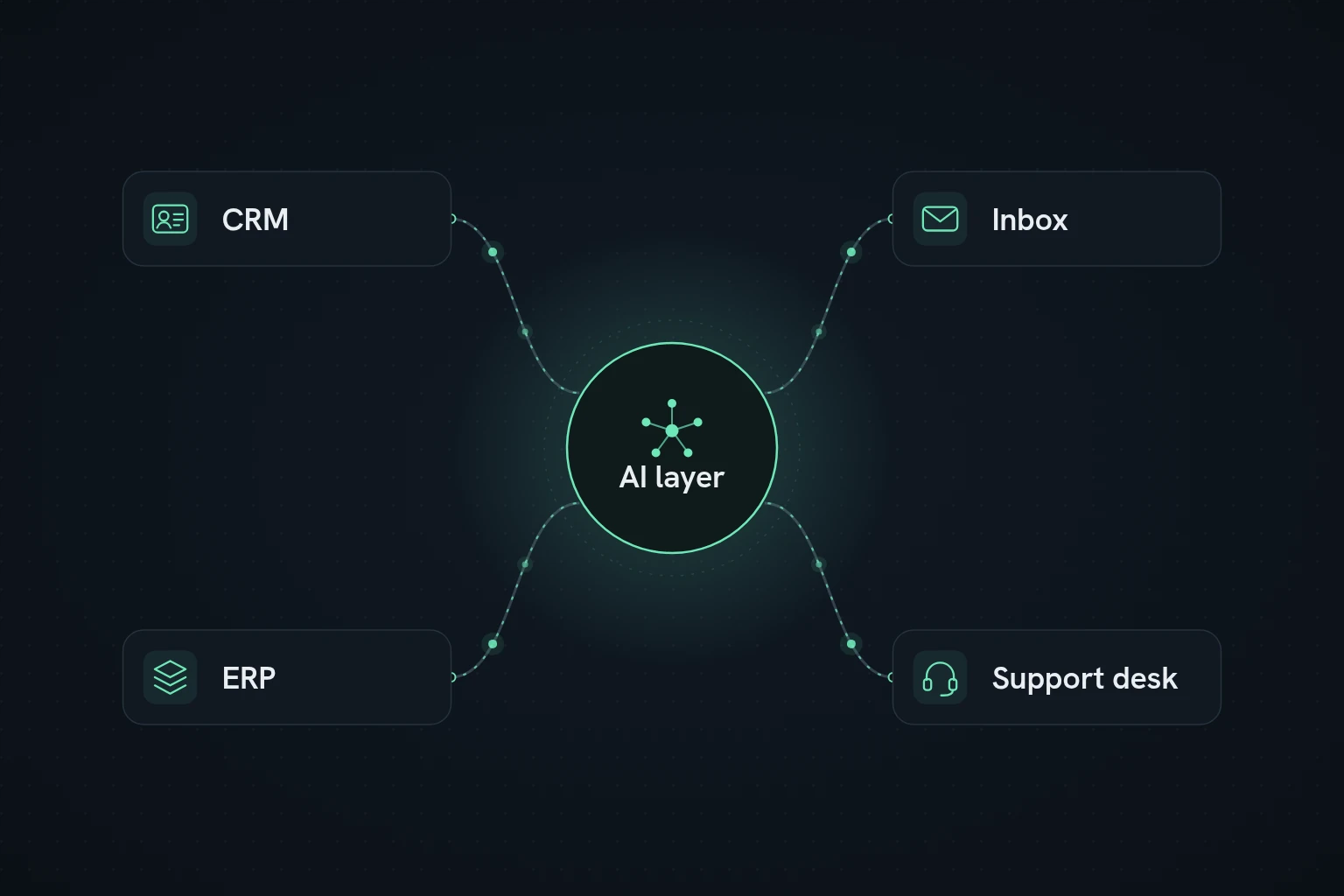
AI systems integration services connect your CRM, inbox, ERP and support tools so information moves between them on its own, then add AI where a person would otherwise have to read, sort or decide. The result is fewer manual updates, cleaner records and faster handoffs between sales, finance and support.
What AI systems integration services mean for SMBs
In plain terms, the job is to make sure the right data reaches the right system at the right time, without someone copying it across by hand.
Most small and midsize businesses picked up their tools at different times, for different teams. Sales lives in the CRM, finance in the ERP or accounting system, support in a helpdesk, and customer conversations in shared inboxes and WhatsApp. The trouble is in the gaps between them.
Those gaps usually look like this:
- Lead details arrive by email but never make it into the CRM in a usable form.
- A customer's details change in one system and stay out of date in the others.
- Sales and support can't see whether an order shipped or an invoice was paid.
- Support replies without knowing who the customer is or what they bought.
- Nobody trusts the pipeline or revenue report, because the records underneath don't match.
That is where integration stops being a side project and becomes part of how the business runs. A good partner maps the records that matter (accounts, contacts, deals, orders, invoices, tickets, conversations), decides which events should trigger work, and builds workflows that keep systems in sync with a clear owner and an audit trail.
Why disconnected systems slow the business down
When your tools don't talk to each other, people fill the gaps by hand. In a small team, where one person might cover sales, billing and support, those gaps eat the week.
Leads and requests sit in inboxes
If inbound email isn't connected to the CRM or helpdesk, someone has to read, forward and log every message. Replies slow down and leads go cold.
Finance data stays with finance
If invoices, payments and order status only live in the ERP, the people talking to customers are working without the latest picture. That shows up in awkward renewal calls, chasing payments that already arrived and forecasts built on guesswork.
Support works without context
When tickets aren't linked to CRM and order data, agents can't see the customer's history in one place, so customers repeat themselves and more issues get escalated.
Reporting turns into reconciliation
Without integration, monthly reporting means exports, spreadsheets and one-off fixes that break the moment a field changes.
How AI layers on top of systems integration
AI is most useful when it sits on top of solid integration, not when it tries to replace it. Not sure whether a workflow needs AI at all? Our guide to business process automation vs AI workflow automation walks through that decision.
A typical setup has five layers:
- The systems that own your data. The CRM holds accounts, contacts and deals. The inbox holds requests and conversations. The ERP holds orders, invoices, stock and payments. The helpdesk holds tickets and their history.
- Triggers. Something happens: an email arrives, a deal moves stage, an order ships, an invoice goes overdue, a ticket is opened. Each trigger is written down, along with the data it needs.
- The integration layer. This moves data between systems, using native connectors, an integration platform, custom API work or a mix. What matters is that it keeps working: fields map correctly, the same record never gets created twice, failures are retried and someone gets told when something breaks.
- AI where judgement is needed. Once the plumbing is stable, AI can sort incoming email by intent and urgency, pull details out of messages and attachments, summarise support threads into CRM notes, and match orders to the right customer when the IDs don't line up.
- Controlled actions. The AI's output leads to a defined step: create a lead, assign an owner, open a ticket, update a field, set a follow-up. Everything is logged, and anything uncertain goes to a person.
That is how we work at 54 Solutions: the job isn't generating text, it's connecting real systems and keeping the data clean.
Common integration scenarios across CRM, inbox, ERP and support
Here is where we usually see the biggest wins, and what each connection does.
| Systems | What starts it | What AI does | What happens next |
|---|---|---|---|
| CRM + inbox | A new email to sales or a shared inbox | Works out intent and pulls out contact and company details | Lead created or updated in the CRM, owner assigned, follow-up scheduled |
| CRM + ERP | Order created, invoice issued, payment status changes | Matches records when IDs don't line up and flags exceptions | Sales sees order and payment status on the account |
| CRM + support | Ticket opened, escalated or past its SLA | Groups issues and summarises the thread | Account owner alerted, risk noted on the CRM record |
| Inbox + support | A support request arrives by email | Classifies it, detects the language, suggests a priority | Ticket created in the right queue with a summary attached |
| ERP + support | A customer asks about a delivery, return or invoice | Looks up the order and drafts a reply | Order details attached to the ticket, status workflow triggered |
How do you connect CRM, inbox, ERP and support tools into one workflow?
Start with the records that need to stay in sync and decide which system is the source of truth for each one. Then define the triggers, map the fields, choose how the systems will connect, add AI only where it improves a decision, and set up monitoring so failures, duplicates and exceptions are visible.
Here is a simple example with a shared inbox:
- An email arrives in the shared inbox.
- AI decides whether it's a new lead, a support issue, a billing question or an order-status request.
- The workflow checks the CRM for an existing customer.
- For support, it opens a ticket with the customer's CRM and order details attached.
- For sales, it creates or updates the lead, assigns an owner and logs the conversation.
- If order or invoice data is needed, it queries the ERP and writes the status back.
The same pattern works with WhatsApp, a web form or a chatbot as the entry point.
How 54 Solutions approaches systems integration
54 Solutions builds AI agents and integrations for small and medium businesses in Lima, across Latin America, the UK and the USA, in English and Spanish. We connect the tools you already use before adding AI, and we stay on to run and improve what we ship.
- Logistics, Lima: an AI agent handles order intake and dispatch updates across WhatsApp and email, saving the team 38 hours a week and leaving people to handle exceptions only.
- E-commerce, UK: a bilingual support assistant answers, refunds and tracks orders around the clock, and 71% of conversations are resolved without a person.
- Professional services, US: quotes and proposals are drafted and sent automatically from a simple intake form, 6× faster than before.
Every project starts with a short discovery and a clear scope and quote before any build starts. See how we build custom AI agents for SMBs.
What to look for in an integration partner
Plenty of people can set up a few Zapier-style triggers. Fewer can build something that still works when your fields change, volumes double or a record arrives half-filled. These are the questions worth asking.
Do they start with your process, not a tool?
A good partner asks where the handoffs break, how clean your data is and who owns what, before recommending anything.
Can they go beyond native connectors?
Real setups usually need custom field mapping, API lookups, webhooks and exception rules. A basic no-code recipe may not survive contact with your real data.
How do they handle security and data?
These systems hold customer and financial data. Ask about access permissions, logging, data retention and what gets sent to AI models.
What happens with edge cases?
Duplicates, missing IDs, half-filled records, failed calls and rate limits all happen. With AI in the loop, confidence varies too, so the workflow should say exactly what happens when the AI isn't sure. Usually that means a person reviews it.
Can you see what's running?
You should be able to see what ran, what failed and what was skipped, and get an alert when something breaks. A partner who talks about automation but not monitoring is a warning sign.
Will you be left with documentation?
Ask for process maps, field mappings and a handover for your team, not a black box nobody can maintain.
Do they stay after launch?
Fields and rules change, and the next workflow usually builds on the first. Check what support looks like once it's live.
Implementation approach and timeline
Integration projects work best in phases. How long each one takes depends on how many systems are involved, how clean the data is and how good the APIs are.
- Audit. List the tools in use and find the handoffs that cause the most manual work.
- Pick one or two workflows. Choose ones with clear value and manageable complexity. Inbound lead routing, support triage or getting ERP status into the CRM are common first picks.
- Map records, triggers and rules. Decide the source of truth for each field, what starts each workflow, and which cases need a human. Scope the AI steps carefully here.
- Build and test. Test the normal path and the awkward ones: duplicates, failed API calls, missing data, low-confidence AI output and rollback.
- Launch and monitor. Go live with alerts in place. Track how many runs succeed, how many manual touches disappear and how fast leads and tickets move.
A focused first workflow usually ships in three to six weeks. Bigger programmes take longer, so expect a phased plan rather than a promise to automate everything at once.
You should be able to measure the difference: how fast leads get a reply, how many manual updates disappear, and whether your reports finally match reality. More on choosing and running automation projects is on the 54 Solutions blog.
FAQ
What are AI systems integration services?
They connect business tools such as your CRM, inbox, ERP and support platform so data and tasks move between them automatically, then add AI for jobs like classifying emails, pulling details from documents and summarising conversations.
Do we need AI, or just better integrations?
Often both, in that order. Reliable integrations come first. AI is worth adding where someone currently has to read, interpret or decide something, such as triaging a shared inbox.
How long does a first integration project take?
A focused first workflow usually ships in three to six weeks. Projects connecting more systems take longer, depending on data quality and API access.
How much does an AI systems integration project cost?
It depends on how many systems and workflows are involved, so we don't publish set prices. After a short discovery you get a clear scope and quote before any build starts.
Can you work with the tools we already use?
Usually, yes. We use native connectors where they're reliable and custom API work where they aren't, so you rarely need to replace your CRM, ERP or helpdesk.
If you already know which handoff hurts most, book a free strategy call. We'll look at your current stack, pick the first workflow worth connecting, and give you a clear scope and quote before any build starts. Prefer to send details first? Use the contact page.